![wsm-logo (1).png]](https://help.webshopmanager.com/hs-fs/hubfs/wsm-logo%20(1).png?height=40&name=wsm-logo%20(1).png)
This guide walks you through enabling the new FedEx REST API integration in Web Shop Manager (WSM). Follow each step carefully to switch from the legacy FedEx integration to the new REST-based integration.
Phase 1: Check current configuration on WSM
- Go to the FedEx section in WSM admin::
-
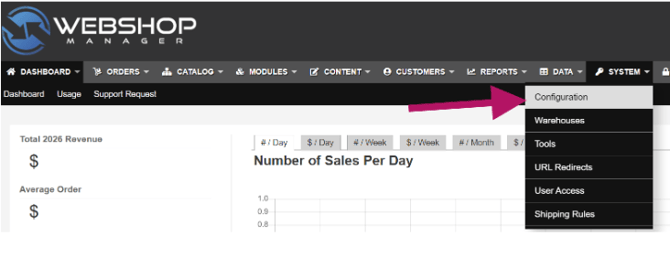
Go to the Web Shop Manager admin dashboard > System > Configuration
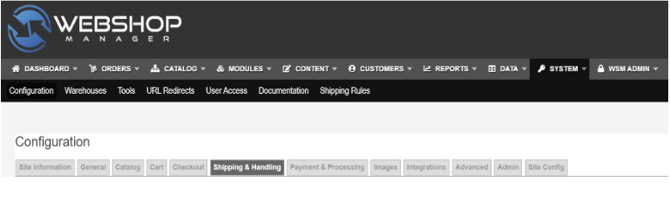
- Then go to the Shipping & Handling tab and scroll down to the FedEx section
-
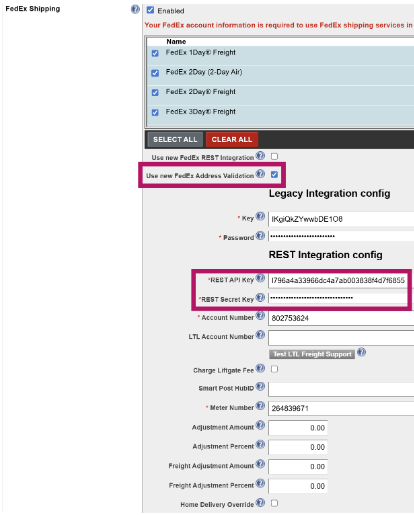
- Check if have “Use new FedEx Address Validation” enabled:
-
If REST API Key and REST Secret Key are already filled in → you already have credentials. Keep this window open. See instructions in Phase 2, then follow Path B.
-
If those fields are empty → you need to create a new project on the FedEx Developer Portal. See instructions in Phase 2, then follow Path A.
-
Phase 2: Setting up FedEx API credentials
- Login to https://developer.fedex.com
- Go to My Projects
https://developer.fedex.com/api/en-us/project.html#/myprojects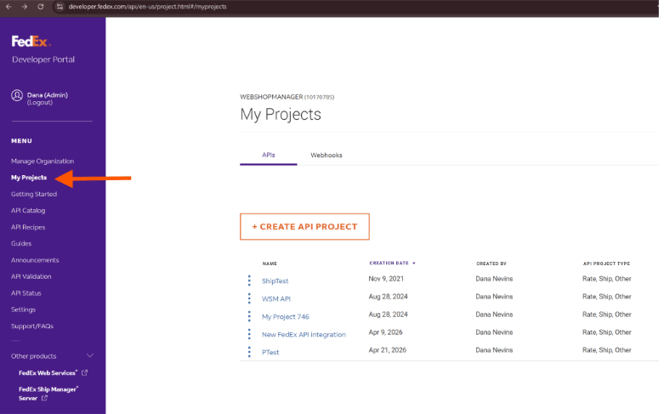
- Proceed with the corresponding path below.
PATH A - You do NOT have REST credentials from Phase 1 yet
- Click the "CREATE API PROJECT" button.
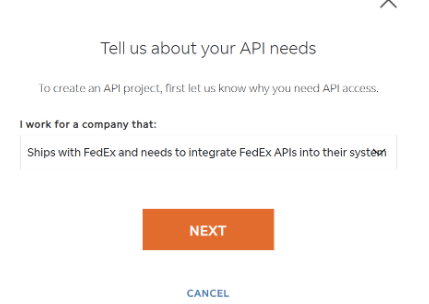
- Select "Ships with FedEx and needs to integrate FedEx APIs into their system", then click "Next".
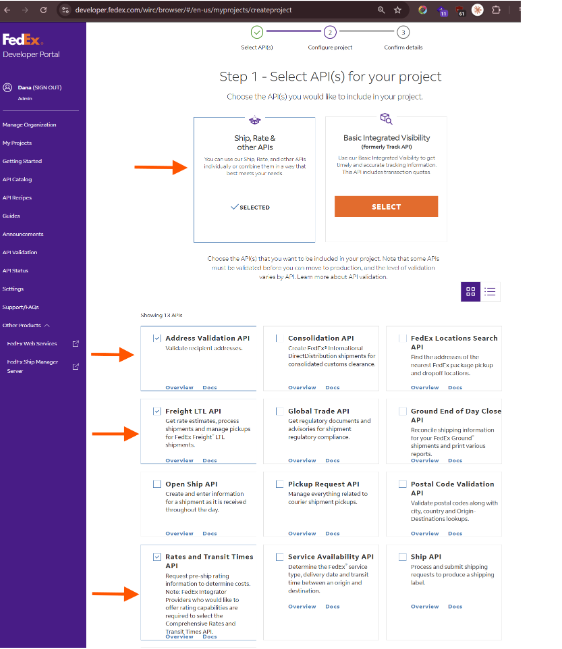
- Do the following selections and click Next
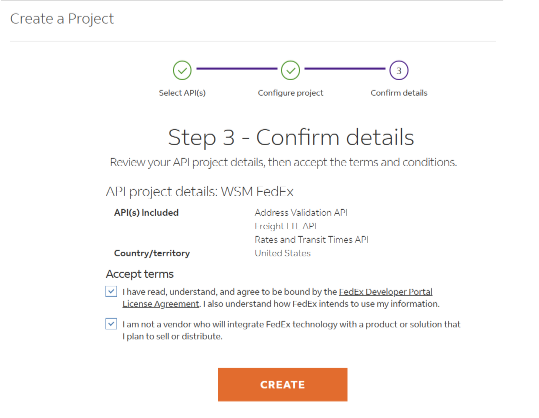
- Follow the instructions on the next screens until you see “Create”, click on it.
- Follow instructions on setting up the Project, and select correct Shipping Account # if you have more than one
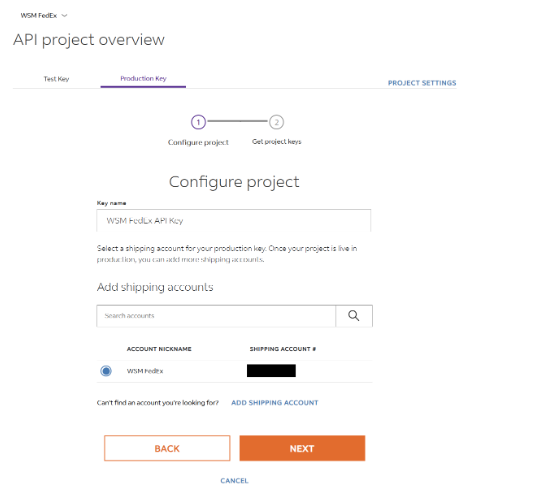
- Copy the API key & Secret key created from FedEx and save it on a notepad, or Google Doc, or keep the FedEx window open. Proceed to Phase 3.
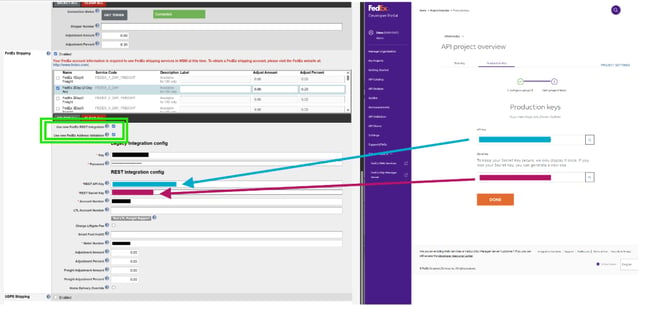
- Click on Production Key tab
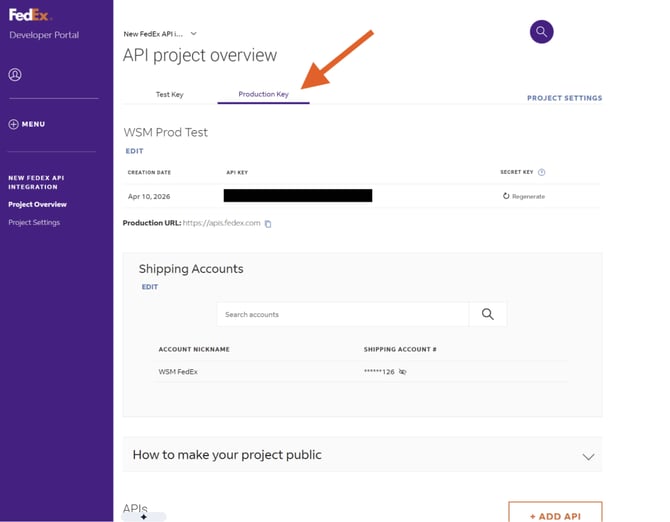
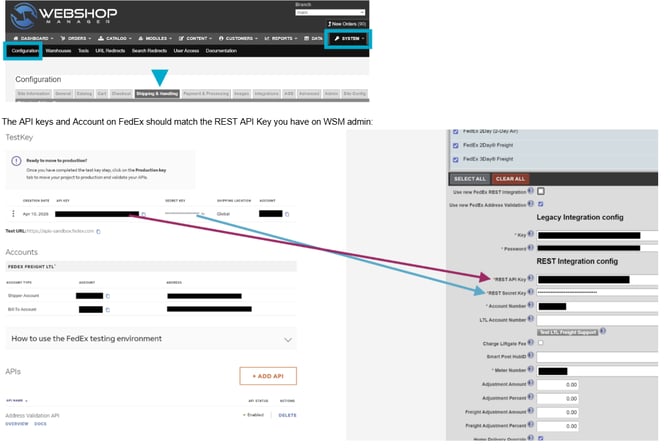
- Ensure you’re looking at the correct project on FedEx. Open your WSM admin dashboard, and check if the API keys and Account Number match with what you have on your FedEx shipping configuration
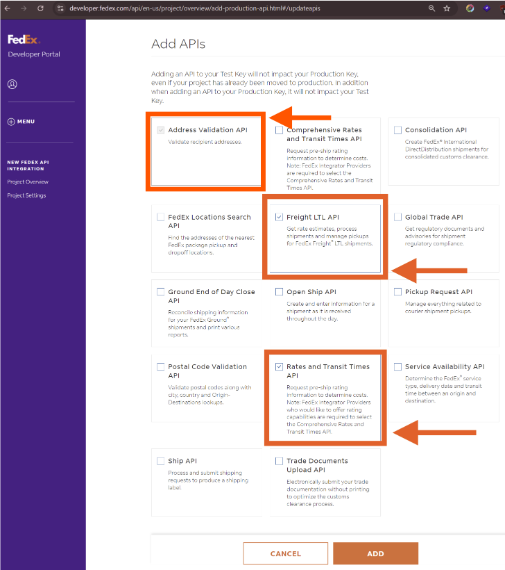
- Back on FedEx, once in the Production Key tab, click on Add API
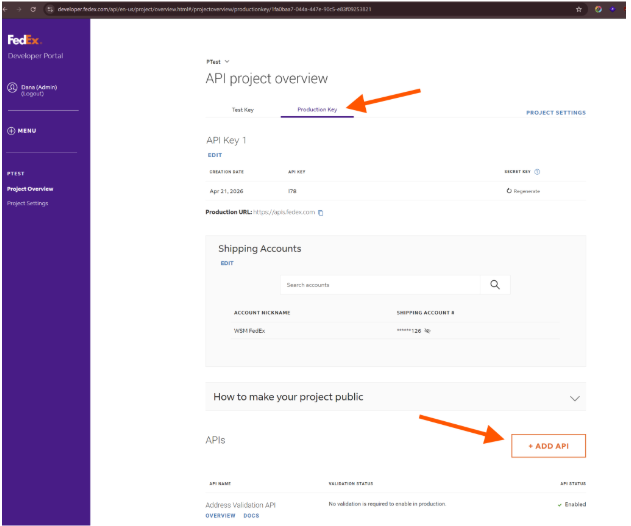
- Ensure the following APIs are selected:
- Address Validation API - required; add if you don’t have it enabled yet
- Rates and Transit Times API - required for regular packages, ground shipping
- Freight LTL API - required if you use Freight options, e.g. Freight Economy, Freight Priority, etc.
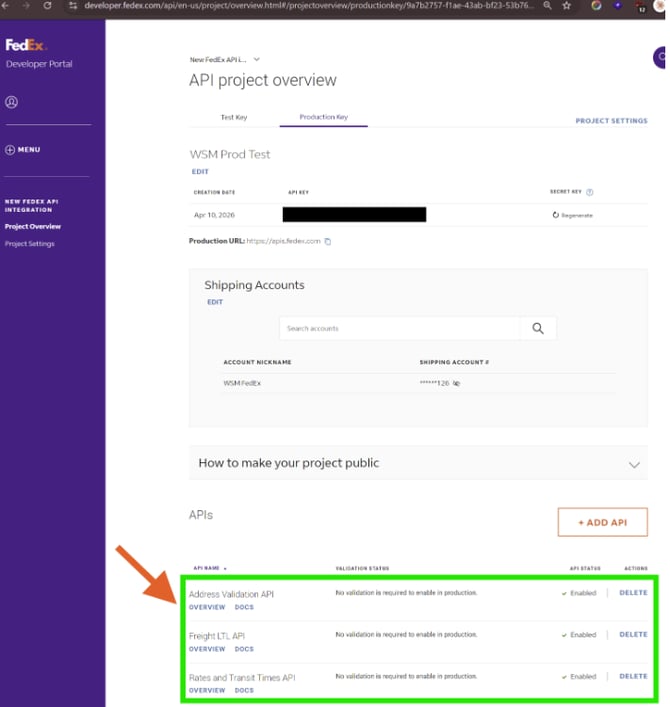
- When the FedEx page reloads, confirm that the following APIs are listed:
- Address Validation API (required)
- Rates and Transit Times API (required)
- Freight LTL API (required if you use Freight methods)
Phase 3: Finalize configuration on WSM
- Go to the Web Shop Manager admin dashboard > System > Configuration > FedEx Shipping
- Ensure Use new FedEx REST Integration and Use new FedEx Address Validation are both enabled
- Ensure Account Number matches on FedEx and WSM
- Copy over the API key and Secret Key generated from FedEx to the corresponding fields
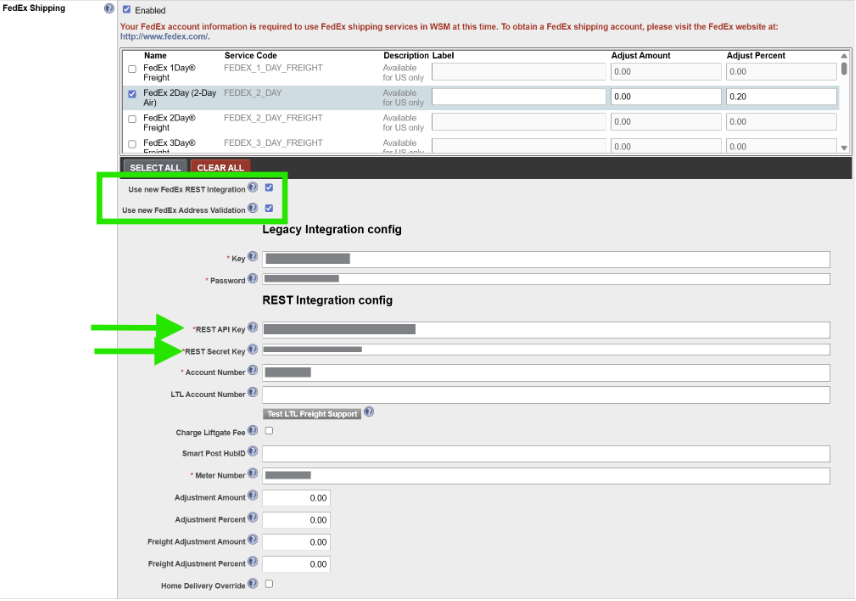
- Scroll down and hit Save